
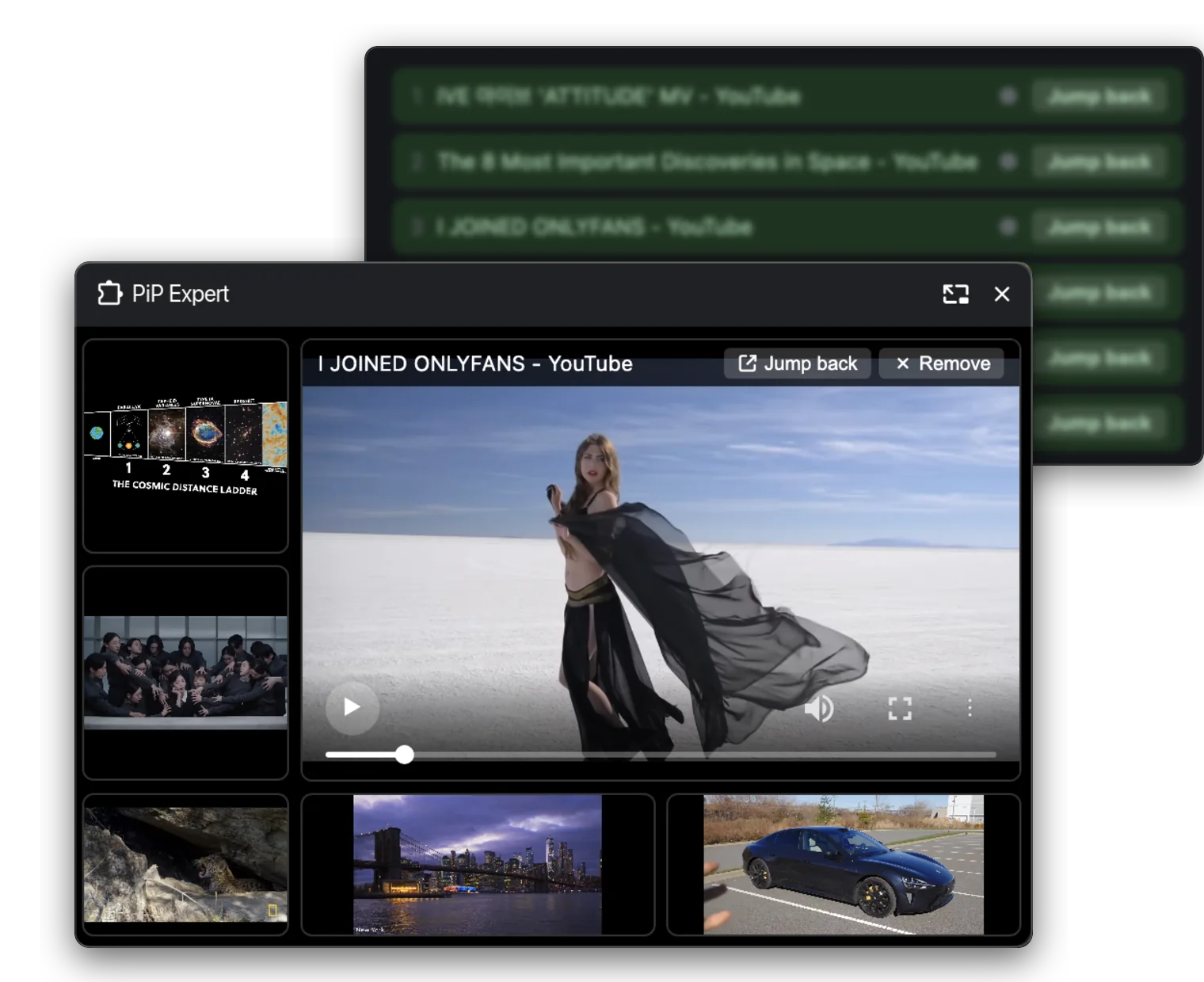
Multi-video picture-in-picture
Pull videos from several tabs into one floating window that stays on top. Maximise any of them, pause or close them one by one — or, for a single video, hand off to Chrome's own Picture-in-Picture. Free, forever.
Pull videos out of the page and keep them playing in one floating window that stays on top. Multi-video mode stacks them all on a small panel where you can maximise any of them, pause or close one by one.
Watch several videos at once — and keep the moments worth returning to. Built around one idea: a browser tab should never be the reason you miss a moment.
Pull videos from several tabs into one floating window that stays on top. Maximise any of them, pause or close them one by one — or, for a single video, hand off to Chrome's own Picture-in-Picture. Free, forever.
Record whatever you're watching straight from the floating window — up to 5 hours in one take, in Light, Balanced or Fidelity quality. The file goes to the folder you choose: no watermark, no account, nothing uploaded.
Save the exact frame you're on as a PNG in one click. It lands in the same folder as your recordings — perfect for notes, slides and study.
Right-click a video and step into a dark, letterboxed cinema view, with a row of seats along the bottom. Everything else pauses and mutes, so the film has your full attention.
Grid, left-L, right-L and dual-side layouts. Switch any window to fit what you're doing, and your choice is remembered.
Every video you open is remembered — title, link and length — gathered from every site into one searchable list. It stays on your device, and you can switch it off any time.
Start free with a single video. Go paid when you want several at once — and unlock screenshots, screen recording and cinema mode.
7-day money-back guarantee ?Payment processing fees are charged by the payment provider and cannot be recovered when a refund is issued, so they are deducted from the refund — approximately 6% + $0.40 of the transaction amount.
One video at a time. No account, no time limit.
Free forever · No credit card
Flexible, cancel anytime.
Billed monthly. Cancel any time.
Best value for heavy viewers.
Billed yearly. Cancel any time.
Already purchased? Manage your licence
No account, no card, no permissions beyond what a picture-in-picture tool needs.
Add to Chrome — FreeNo sign-in and no account — the free plan and the paid licence both work without one, and we never ask you to register.
Fetching your licence key. This usually takes a few seconds.
Your licence key is also on its way to your inbox — we only needed your email on the payment page.
Waiting for confirmation…
Paste it into the extension options to activate multi-video mode.
Sent to
Single-video picture-in-picture and play-the-next-one — watch as many videos as you like, no account, no expiry. It hands off to Chrome’s own Picture-in-Picture, so it barely uses any resources.
Multi-video mode: several videos floating in one panel at the same time, where you can maximise any of them, pause or close per video, plus device management so you can move the licence between computers.
It depends on your plan — 2 devices for monthly, 4 for yearly. When you exceed the limit, the device you added first is removed automatically to make room for the new one.
Open the Manage licence page, verify your email with a one-time code, and you will see every activated device. You can remove any of them there — the removed device re-activates on its next check.
No. Neither the free plan nor the paid licence needs an account, a sign-up or any personal details, and the extension itself collects nothing. The only email in the picture is the one you give the payment provider at checkout, so your licence key can reach you.
Yes. Crispip does not modify the player and does not change how the site behaves. It uses the video the site itself is playing, in Chrome’s own Picture-in-Picture window — the same thing you get from the site’s built-in button, just with several videos at once.
The licence is revoked on our side, and the extension drops back to the free plan automatically.
Card details never touch our servers. Checkout, invoicing and tax handling are carried out by our payment provider as merchant of record, including VAT and regional payments.
Yes — in multi-video mode every player has a screenshot button and a recorder. Screenshots save as PNG and recordings as WebM or MP4, written straight into a folder you pick on your computer, with up to 5 hours per recording. Nothing is uploaded, and there is no watermark or sign-in.